
All FirstDue mapping features are housed in esri ArcGIS Online. Please first work with FIrstDue for them to show you how to extract the feature layers to esri AGOL. Once extracted work with your GIS professional, or add the layers to the given map you want them on. You could build a new map for FirstDue too; your choice. The key is that this is all done on esri AGOL with the layers shared to the same group your maps currently reside.
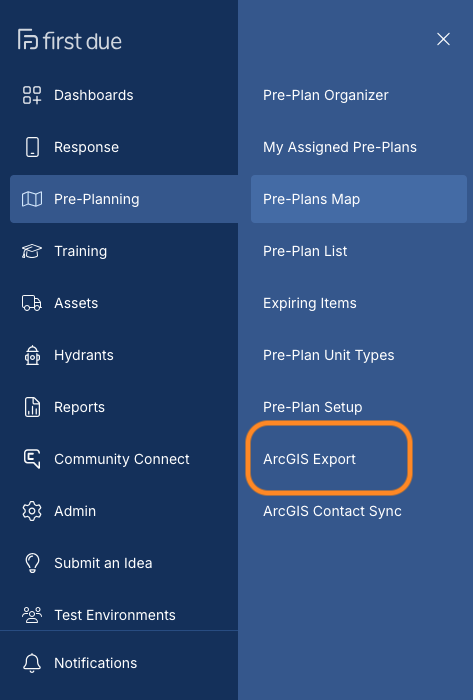
Log into FirstDue and click on ArcGIS Export
Click on New Feature Service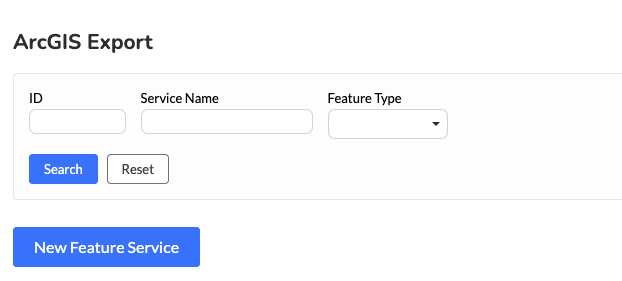
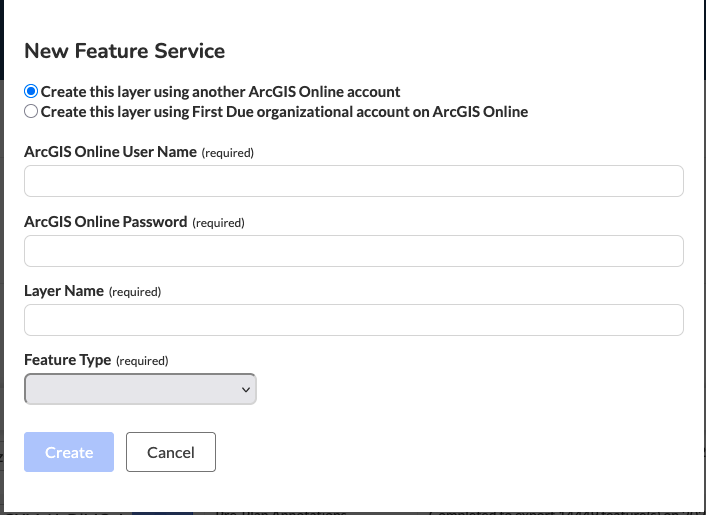
Log in with your AGOL credentials and select the given feature types. If you choose the 2nd radio button of using the FirstDue organization you will need to work with FirstDue to get the layer shared to a Tablet Command shared group.
Once the feature layer is built you can add it to your esri AGOL content and add it to your map. Ensure your map is shared to your Tablet Command share group and add the tag "Tablet Command" to your map. The First Due content will be seen in Tablet Command.
If you have any issues or questions please email support@tablet