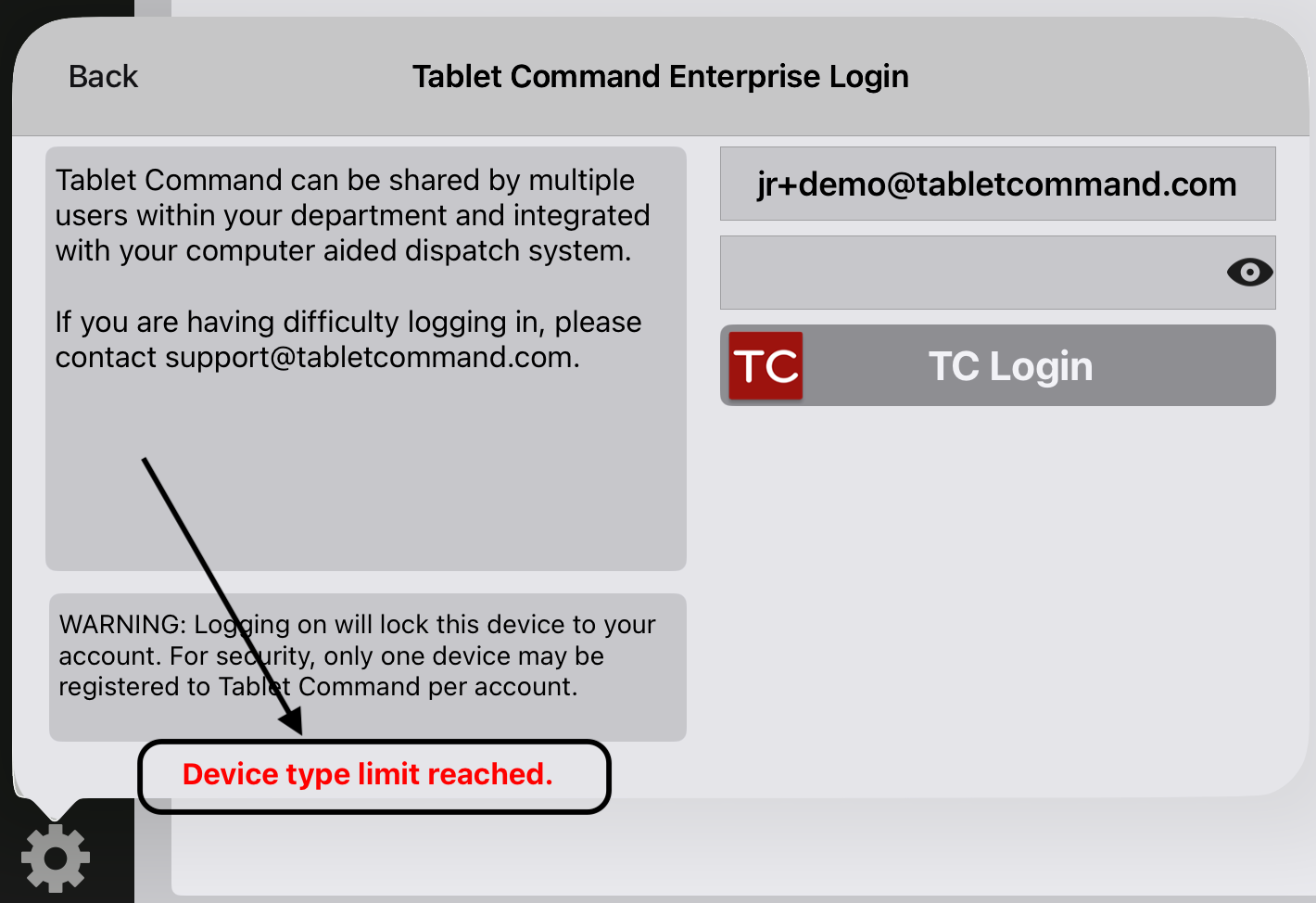
If you see a “Device Type Limit Reached” message when logging in to TC Pro on an iPad, your user profile is already logged in to TC Pro on another iPad. Each user can hold only one active iPad session at a time, so you will not be able to log in on the new iPad until the old session is closed.
Before You Start
Closing an iPad session requires account admin access in the web portal. If you are not an admin, contact someone at your agency who is.
Then follow the steps for your situation — moving the same user to a new iPad, or switching an iPad to a different user.
Moving the Same User to a New iPad
Use this when one person is changing devices.
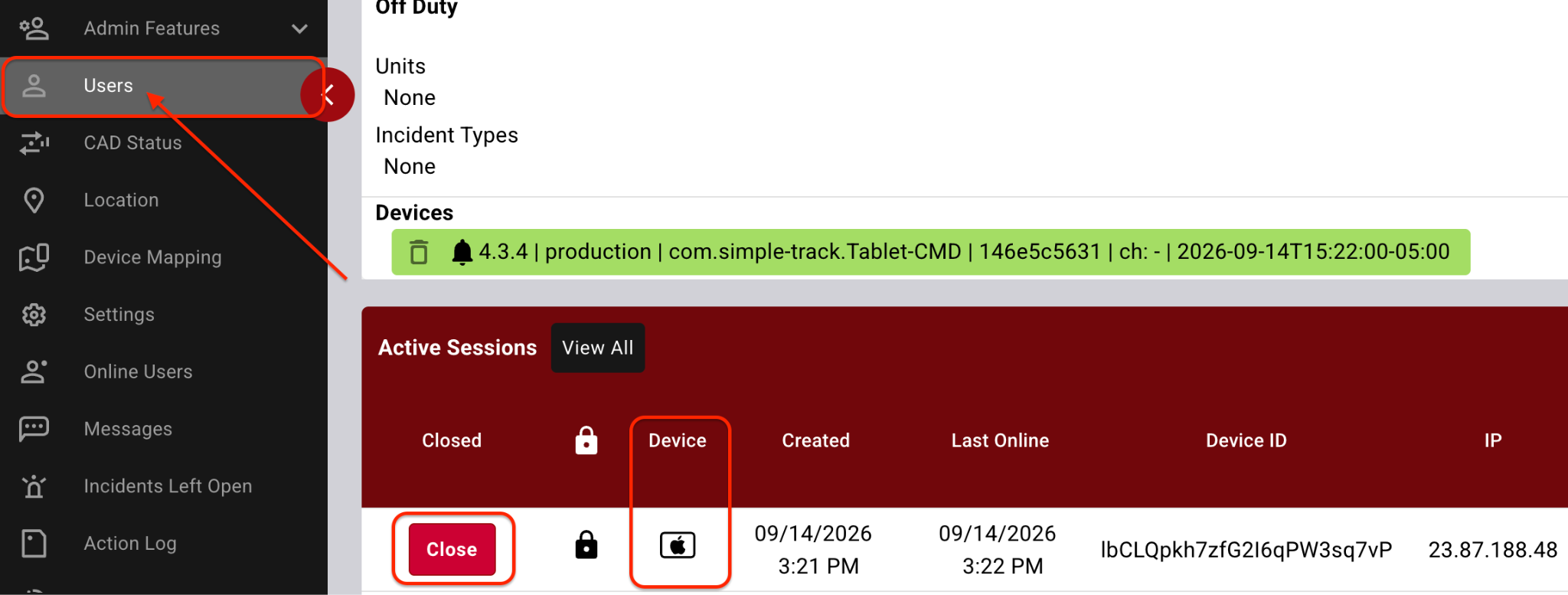
In the web portal, go to Admin Features > Users and select the Tablet Command Pro user.
Scroll to the bottom of the User Detail page to the Active Sessions section, and find the session with the iPad icon next to it.
Confirm you have the correct user and the correct session, then click Close.
Log in on the new iPad.
The old iPad is now free and can be used by another user if needed.
Switching an iPad to a Different User
Use this when a different person needs to log in to a tablet that is already assigned to someone else.
Close the incoming user’s existing iPad session. In the web portal, go to Admin Features > Users, select that user, scroll to Active Sessions, find the session with the iPad icon, and click Close.
Close the outgoing user’s session on that tablet by repeating the same process for the user who had been logged in there.
Log the new user in on the tablet.
Always double-check the username and the session before clicking Close — closing the wrong session will log an active user out in the field.
Why there is no Log Out button on the iPad
By design, Tablet Command on the iPad has no Log Out function. Once a user logs in on a tablet, that session stays locked to that user on that device.
This ensures that when a user needs Tablet Command to manage or respond to an incident, the device is already logged in and ready — rather than requiring a login, and possibly a forgotten password, at the worst possible moment.