
Tablet Command has two levels of administrator: account admins and agency admins. This article explains what each one can access and who each level suits.
Access at a Glance
Tabs available under Admin Features in the web portal.
Account Admins
Account admins have complete control over the account and can make any change or edit, across every agency it contains.
Best suited to anyone high up in the chain of command, or anyone who needs direct oversight of the whole account on behalf of the entire agency or dispatch center.
Agency Admins
Agency admins are administrators over one or more specific agencies within an account. They can edit users, resources, checklists, and templates — but only those assigned to their own agency.
If a user or resource belongs to a different agency, an agency admin can still view it, but cannot edit it.
Best suited to someone who oversees the users in their own agency and needs to create users, log off user accounts, and reset passwords without access to the rest of the account.
Identifying Admins in the User List
In the user settings, an icon appears next to each person's name showing their access level. The two icons look like this:
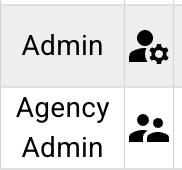
A account admin shows a single figure with a gear; an agency admin shows two figures.
Training
All users will be required to complete training for their assigned level prior to access being granted.
Users changing from Agency to Account will have an abridge training for the additional permissions.