
If critical notifications are switched on inside TC Mobile but alerts still aren't reaching you, Android is most likely blocking them at the device level. Use the steps below to enable them in the phone's own settings.
Android covers many brands — Samsung, Google, Motorola and others — so your menus may differ slightly from the screenshots below.
Enable Critical Notifications on the Device
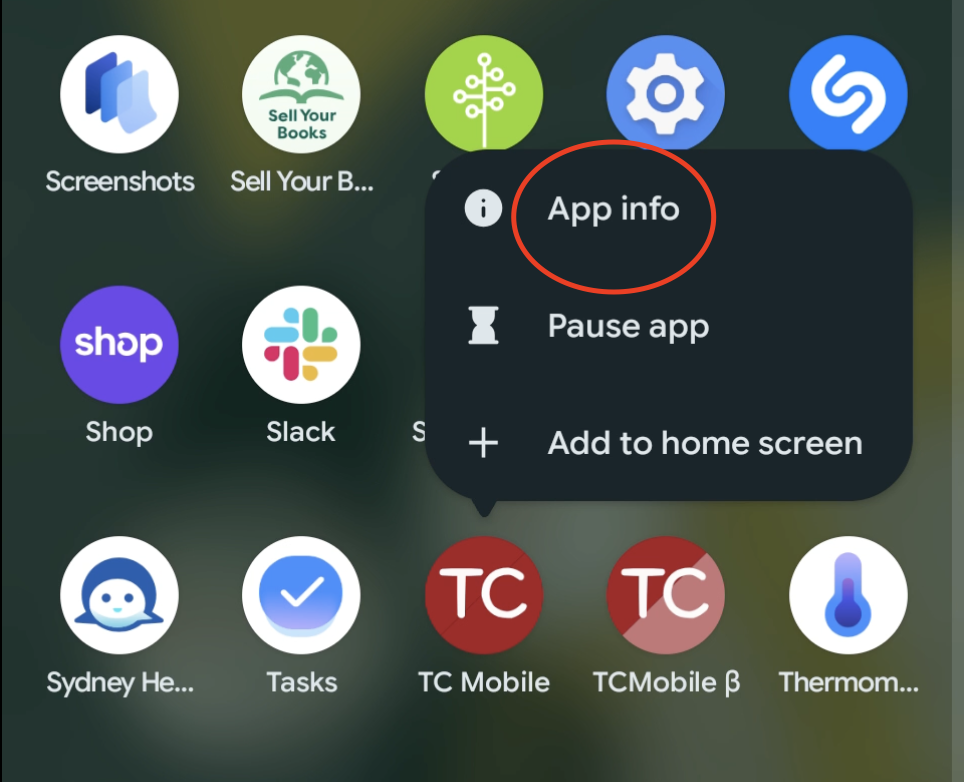
Find the TC Mobile app on your phone. Press and hold the app icon until a menu appears, then tap App Info.
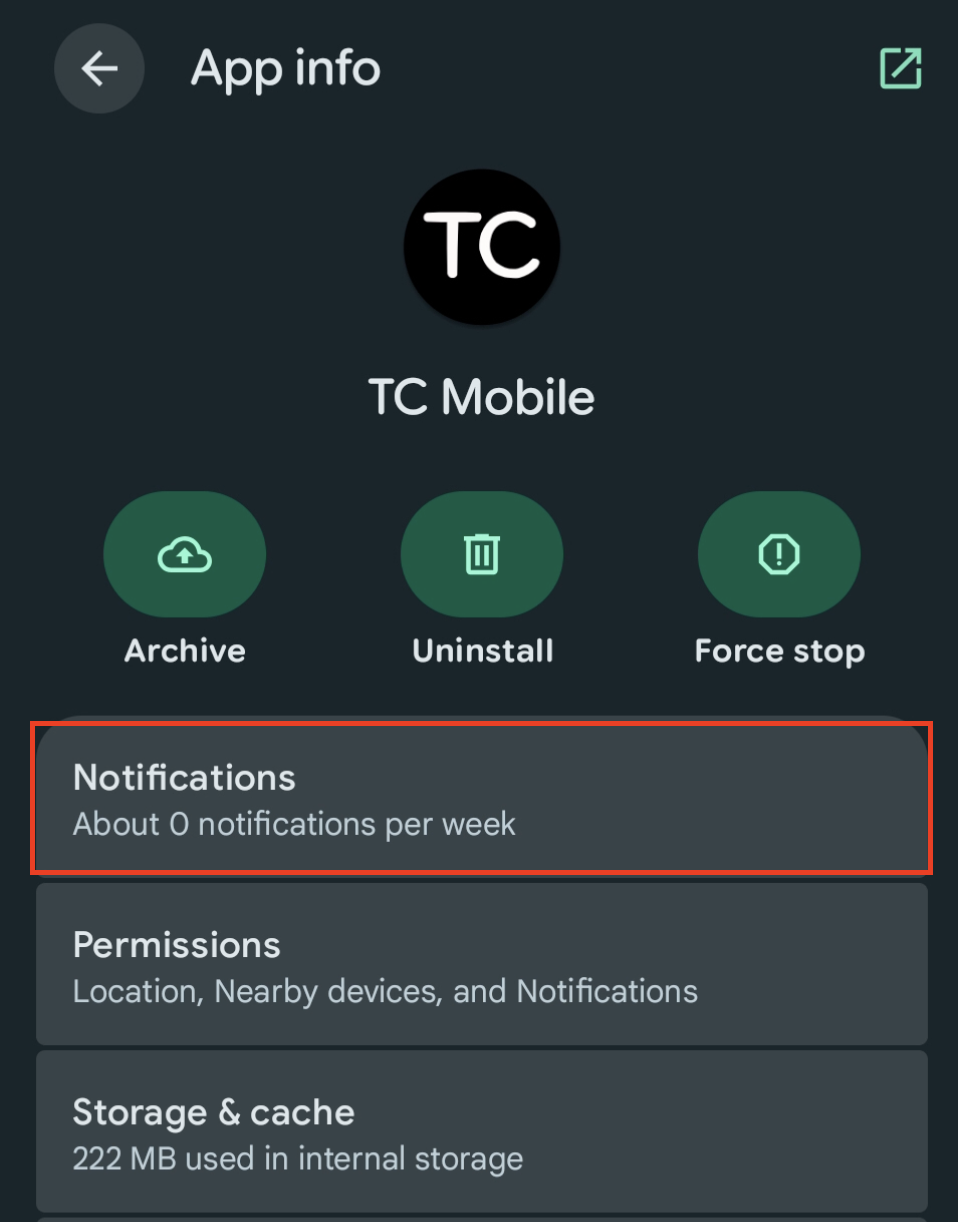
On the App Info page, tap Notifications.
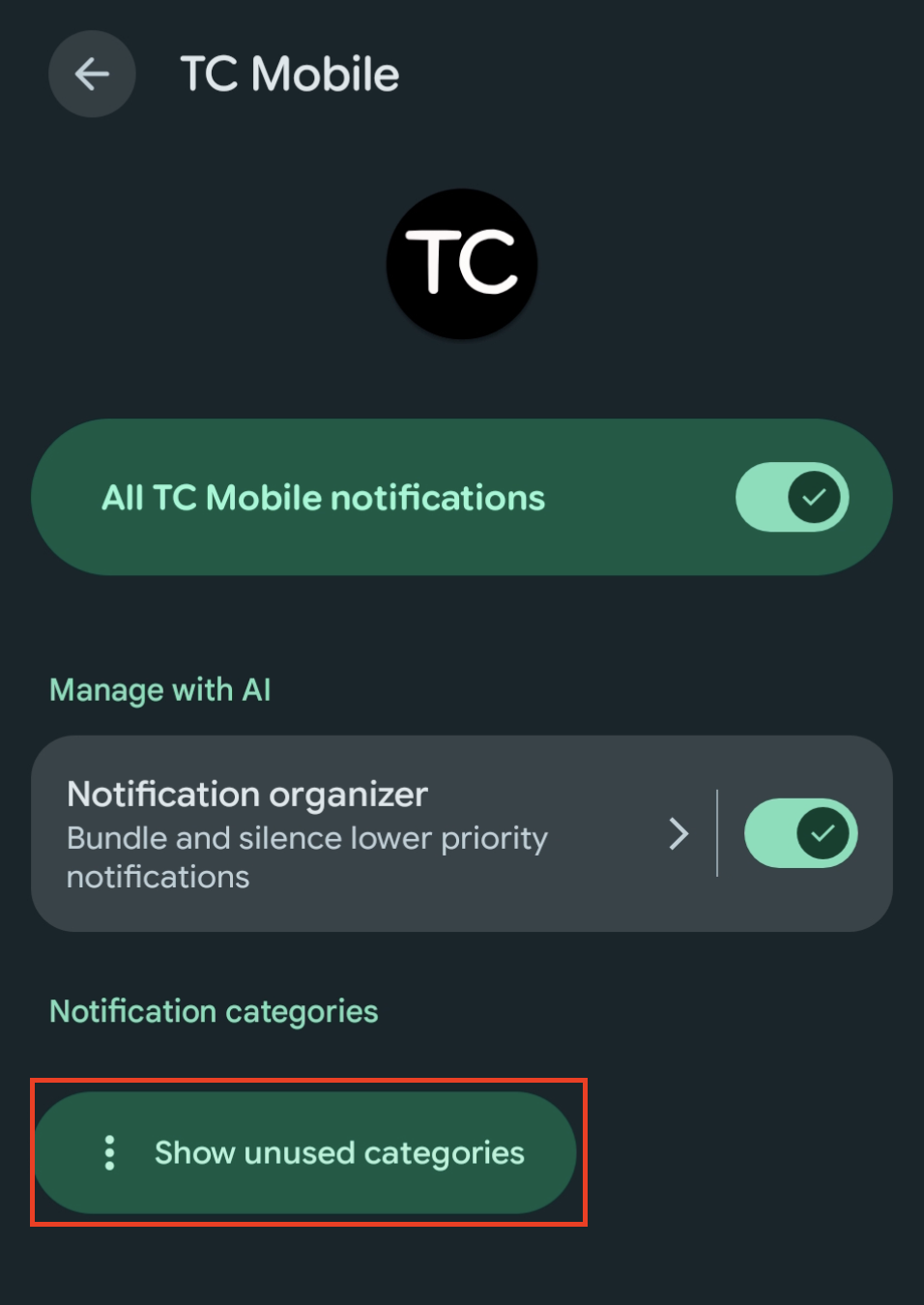
Look for Notification Categories and a drop-down labeled Other. On some devices you may first need to tap Show Unused Categories.
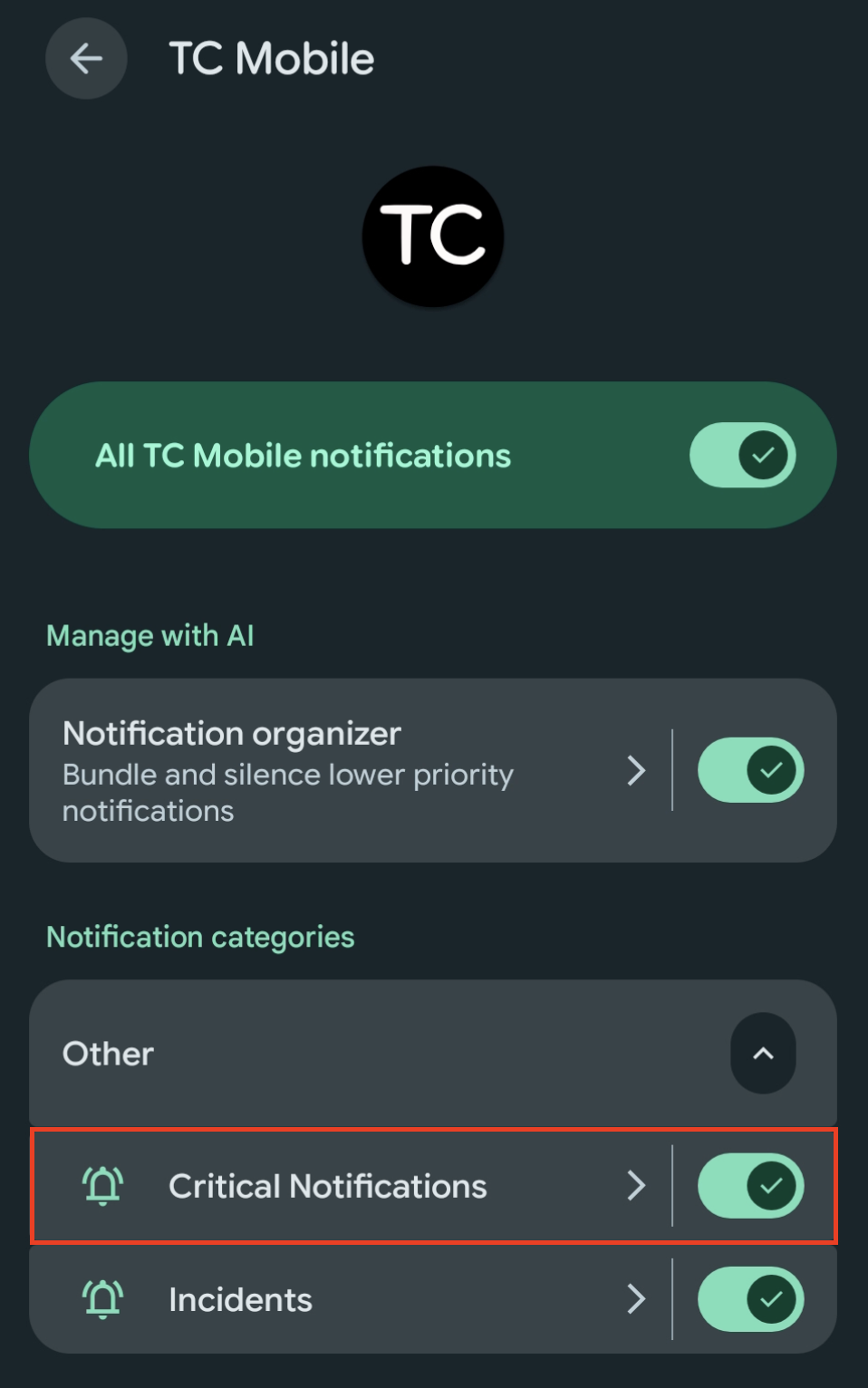
Open the drop-down. You should see Critical Notifications and Incidents. Make sure Critical Notifications is toggled on.
Still Need Help?
If Critical Notifications is toggled on in both places and alerts still aren't arriving, contact Tablet Command support with your phone's make and model and the units or incident types you expected to be alerted for.